
Review your plan, billing details and invoices
Use Billing to see your actual entitlements and provider records.
Before you start
Plan changes can create billing obligations. Review the live offer and confirmation carefully.
Open Settings → Billing
Review Plan & usage for your current access, location usage, sign-ins and billing period or trial end. Your actual saved entitlement is authoritative, including any earlier granted trial.
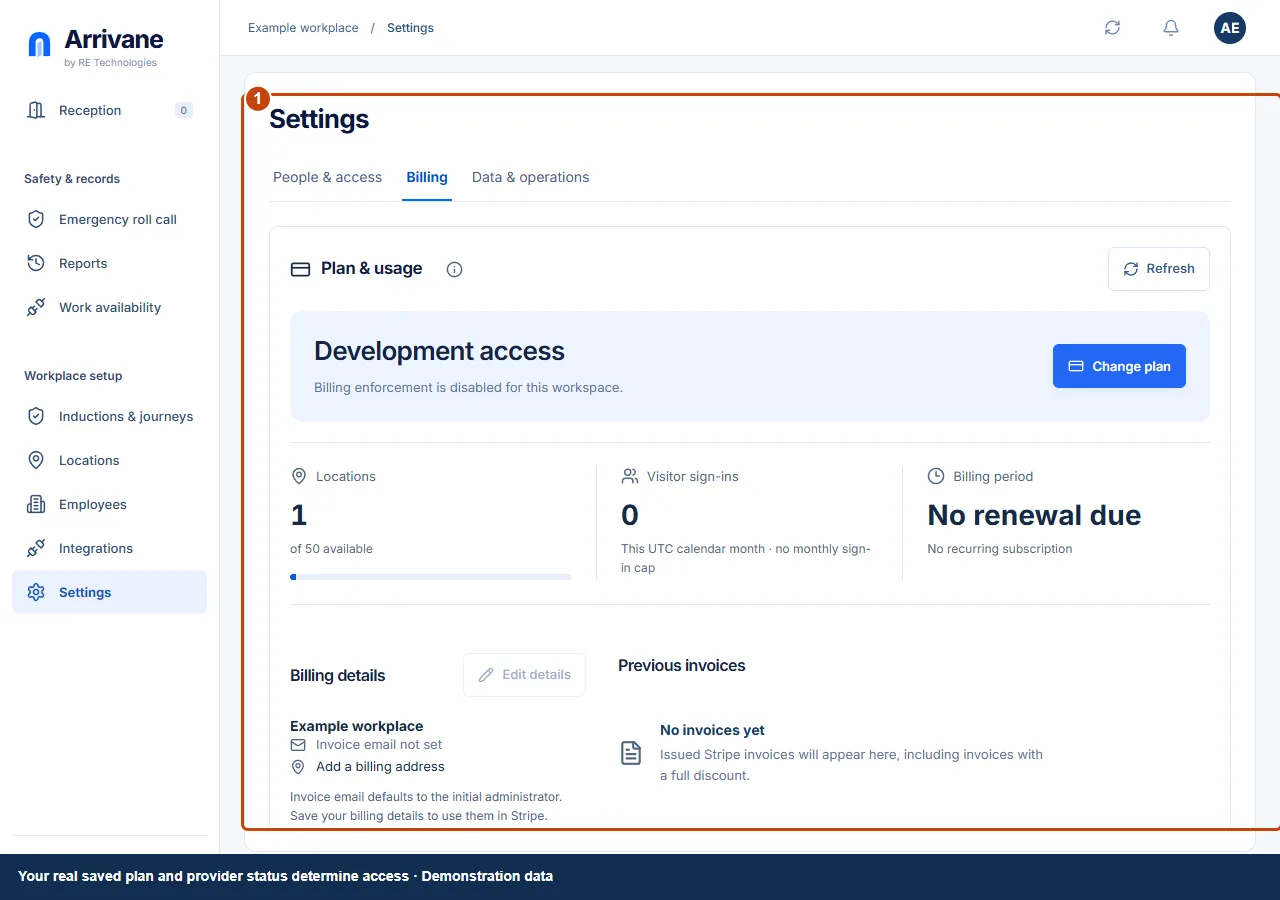
Demonstration data · Select image to enlarge. Review a plan change or billing details
Use Change plan to review the current Stripe-backed offer and any immediate billing wording. Use Edit details to save the intended invoice contact and address. Complete provider confirmation only when you intend the change.
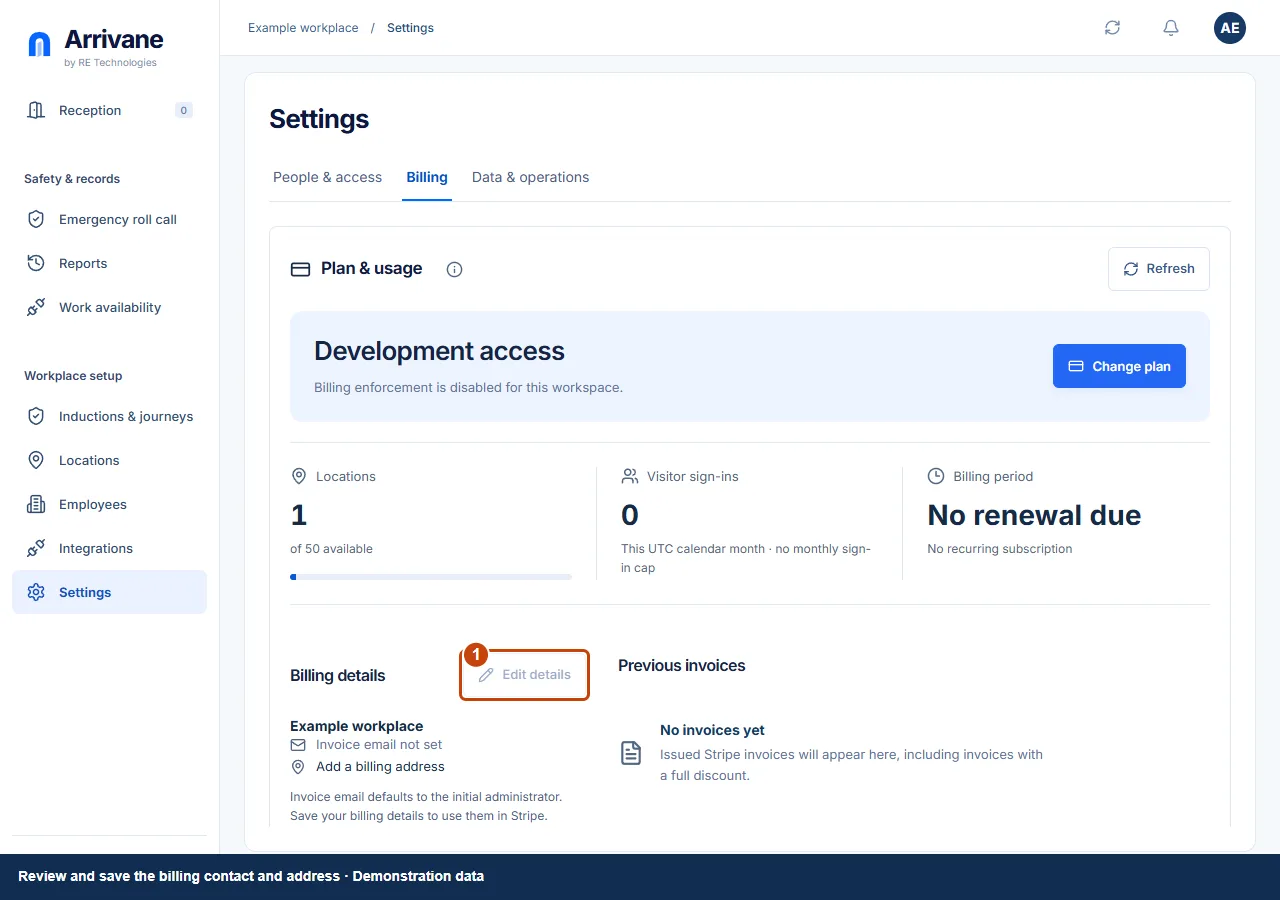
Demonstration data · Select image to enlarge. Open an issued invoice
Review Previous invoices and use the available PDF or hosted-invoice link for the correct item. No invoices yet is distinct from an unavailable invoice service. Refresh after a temporary retrieval failure.
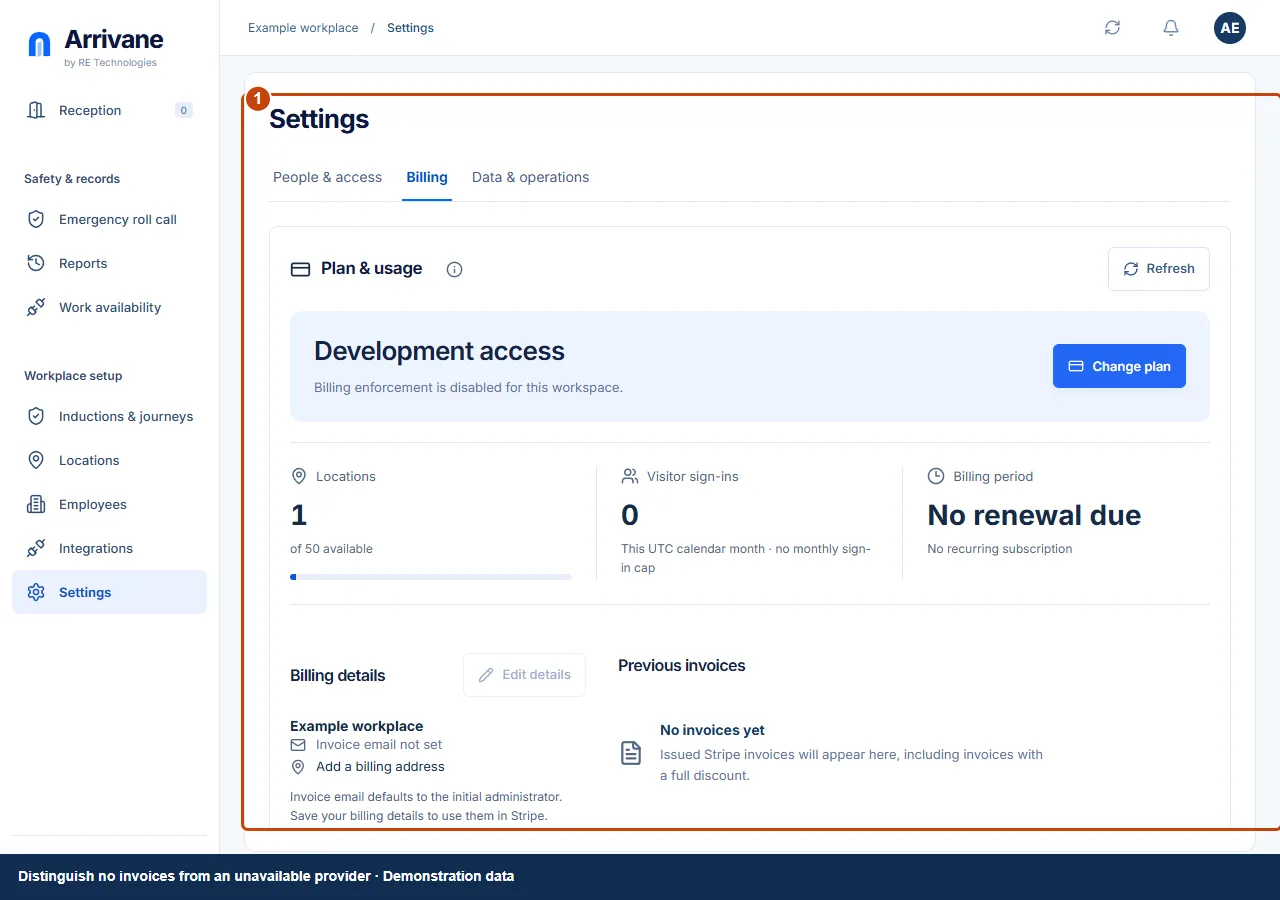
Demonstration data · Select image to enlarge.
Check the result
The plan and billing contact are understood, and any required invoice is retrieved from the verified provider record.
If something goes wrong
If Stripe is unavailable, retry later and read the visible status. Example screenshots do not show your subscription. Check Billing for your current plan and price.
If a control is missing, check your organisation, location, role and plan. If a save fails, read the error, keep your draft and check the saved state before retrying.
Screenshots use example people and workplaces. Follow the written steps and test your reception tablet, printer and connected services before welcoming visitors.