
Build a journey and return-visit rules
Order shared content and decide what returning people complete.
Before you start
Create and save the required shared content first.
Open Build journeys
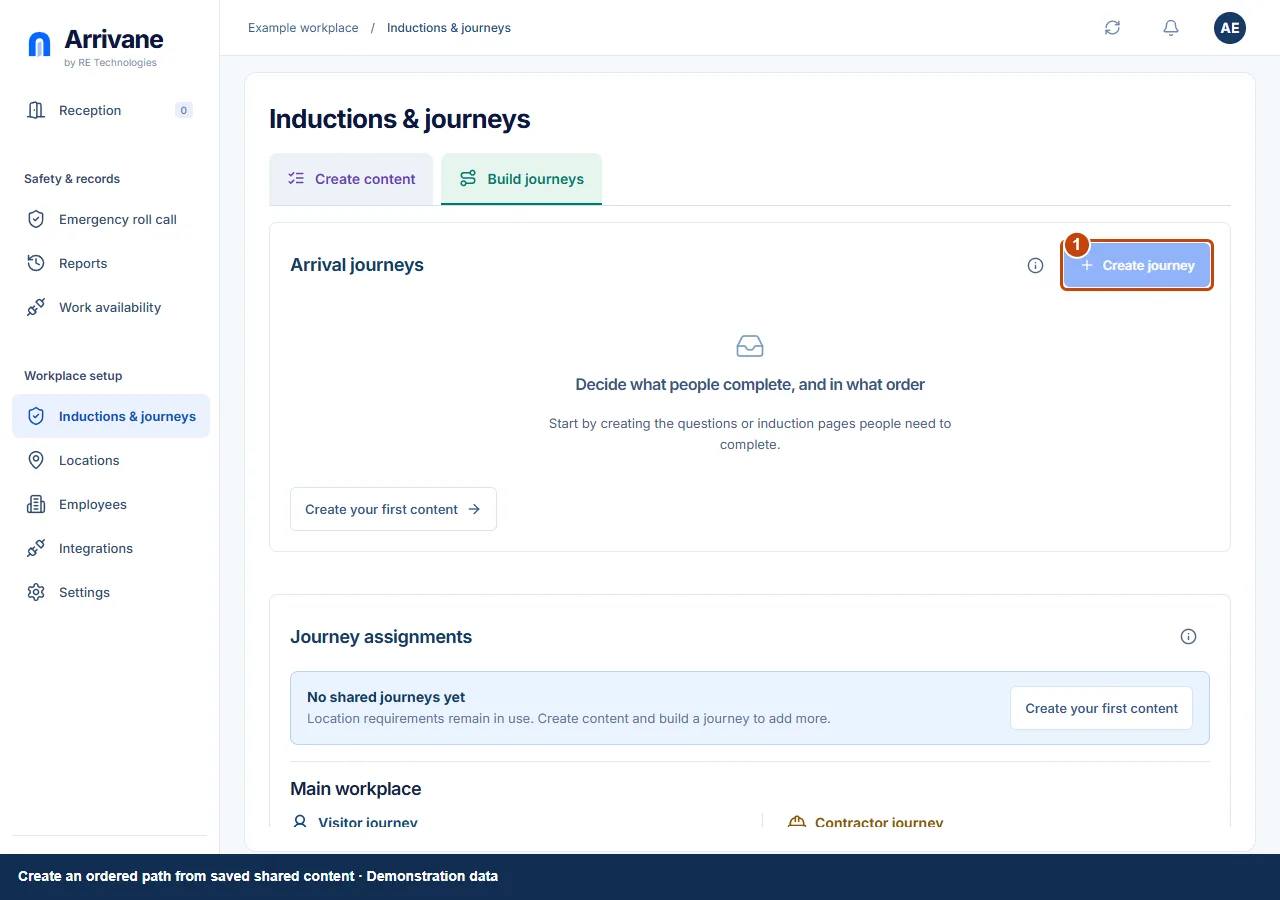
Open Inductions & journeys → Build journeys and choose Create journey. Give the journey a name that explains its purpose.
Demonstration data · Select image to enlarge. Choose and order shared content
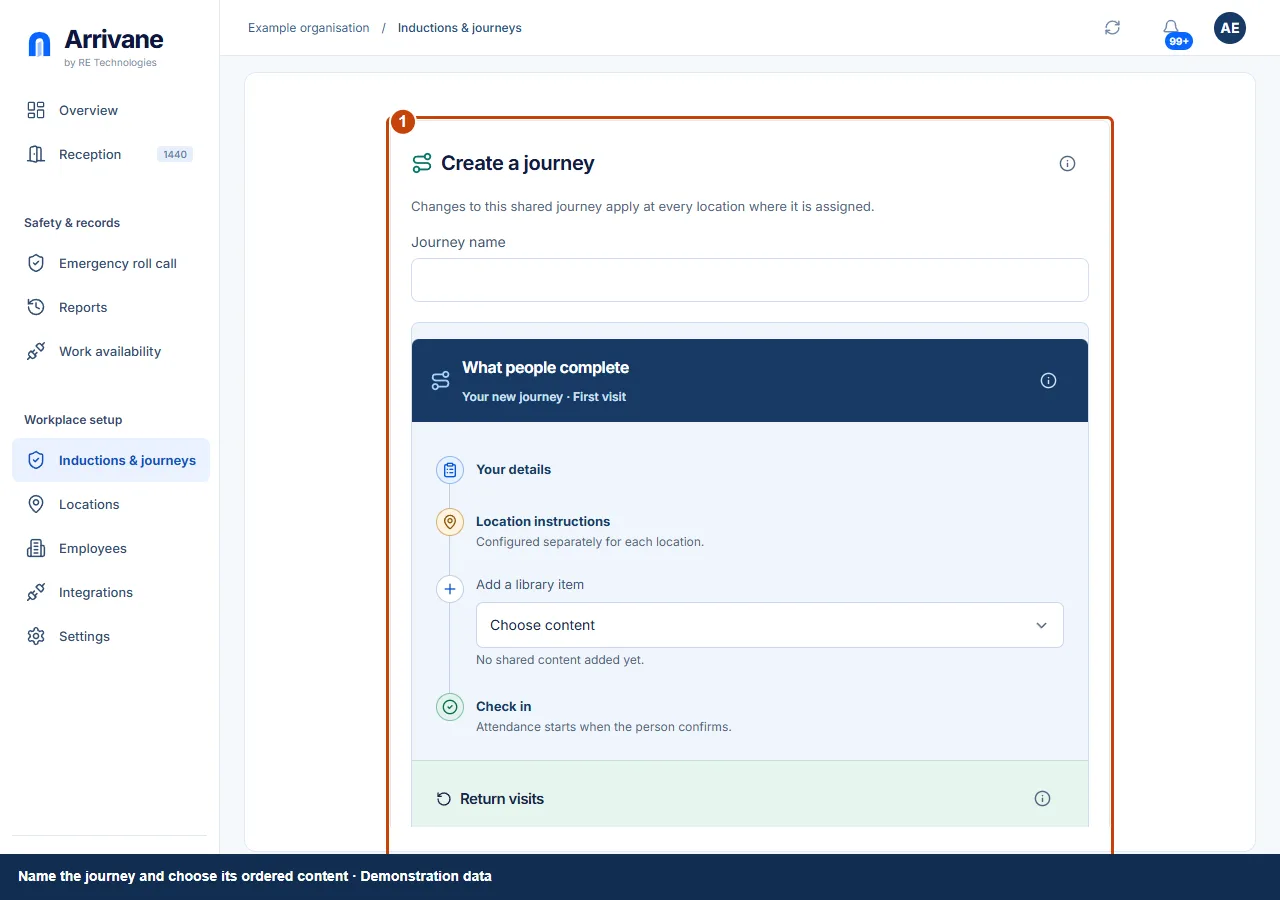
Add the saved content in the order people should complete it. Review the full journey preview. Shared content can appear in more than one journey.
Demonstration data · Select image to enlarge. Set return rules, save and assign
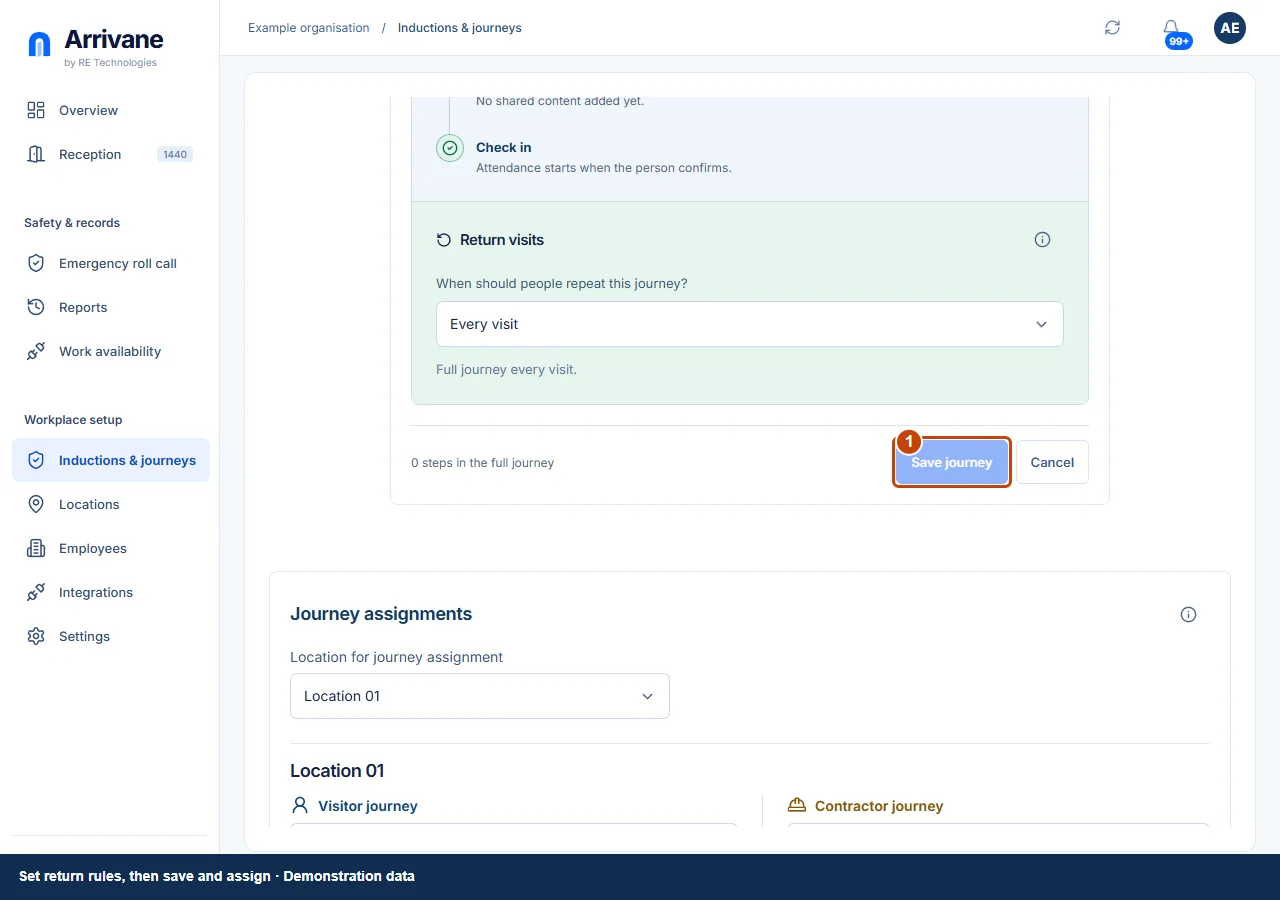
Choose the subsequent-visit rule and any validity or refresher settings shown. A refresher keeps the original full completion expiry. Save journey, then assign it to the relevant location and person type.
Demonstration data · Select image to enlarge.
Check the result
The saved journey has the intended order, return rule and location assignments.
If something goes wrong
A recognised person needs a matching current content version within the validity period to reuse completion. Do not assume every returning visitor will qualify.
If a control is missing, check your organisation, location, role and plan. If a save fails, read the error, keep your draft and check the saved state before retrying.
Screenshots use example people and workplaces. Follow the written steps and test your reception tablet, printer and connected services before welcoming visitors.