
Set up personal sharing and use your QR
Choose exactly which details you offer to a receiving workplace.
Before you start
Sharing details, recording attendance and optional marketing consent are separate decisions.
Choose the fields you want to share
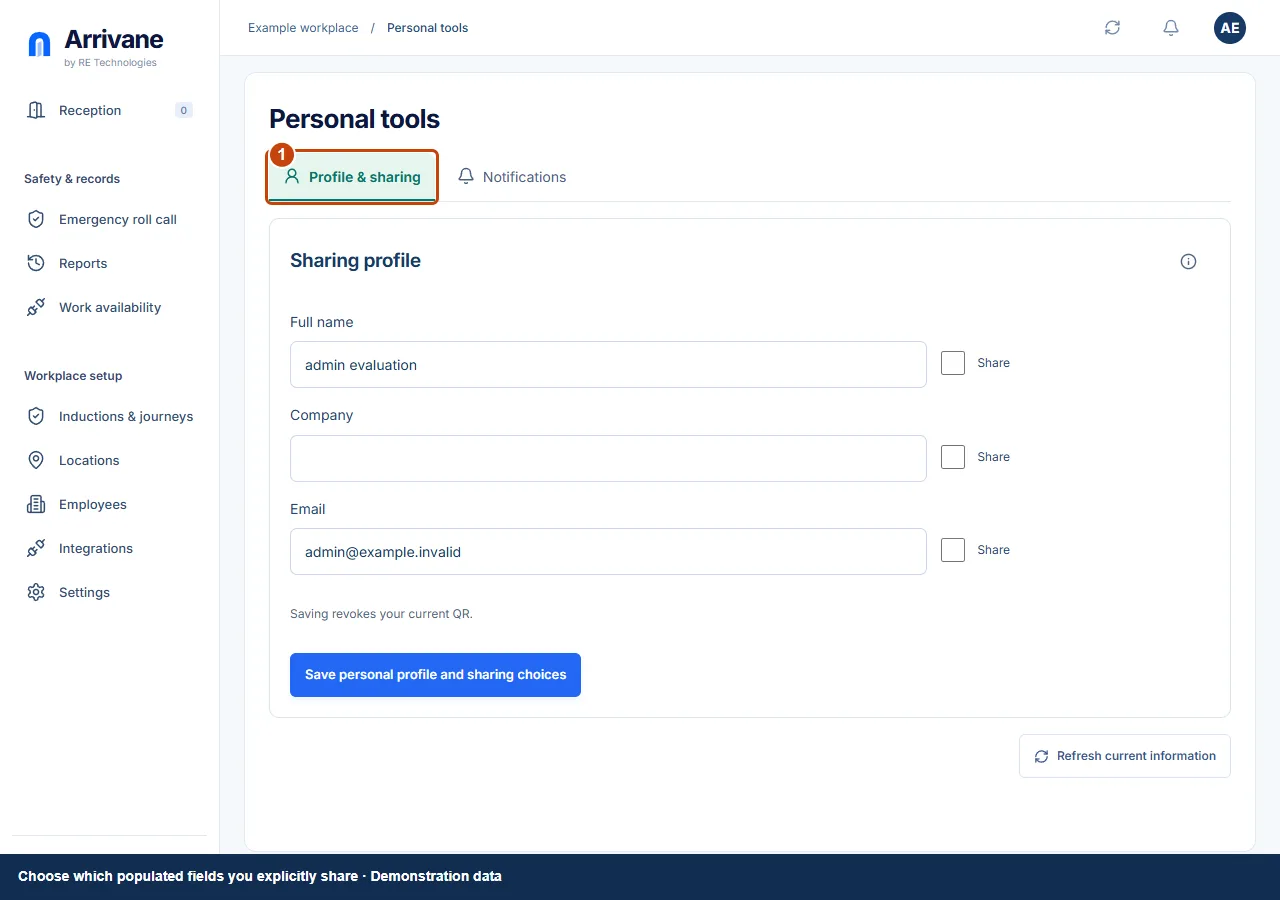
Open your account menu → My account → Profile & sharing. Review each field and its Share checkbox. Only populated fields you explicitly choose to share can prefill another workplace’s form.
Demonstration data · Select image to enlarge. Save the profile
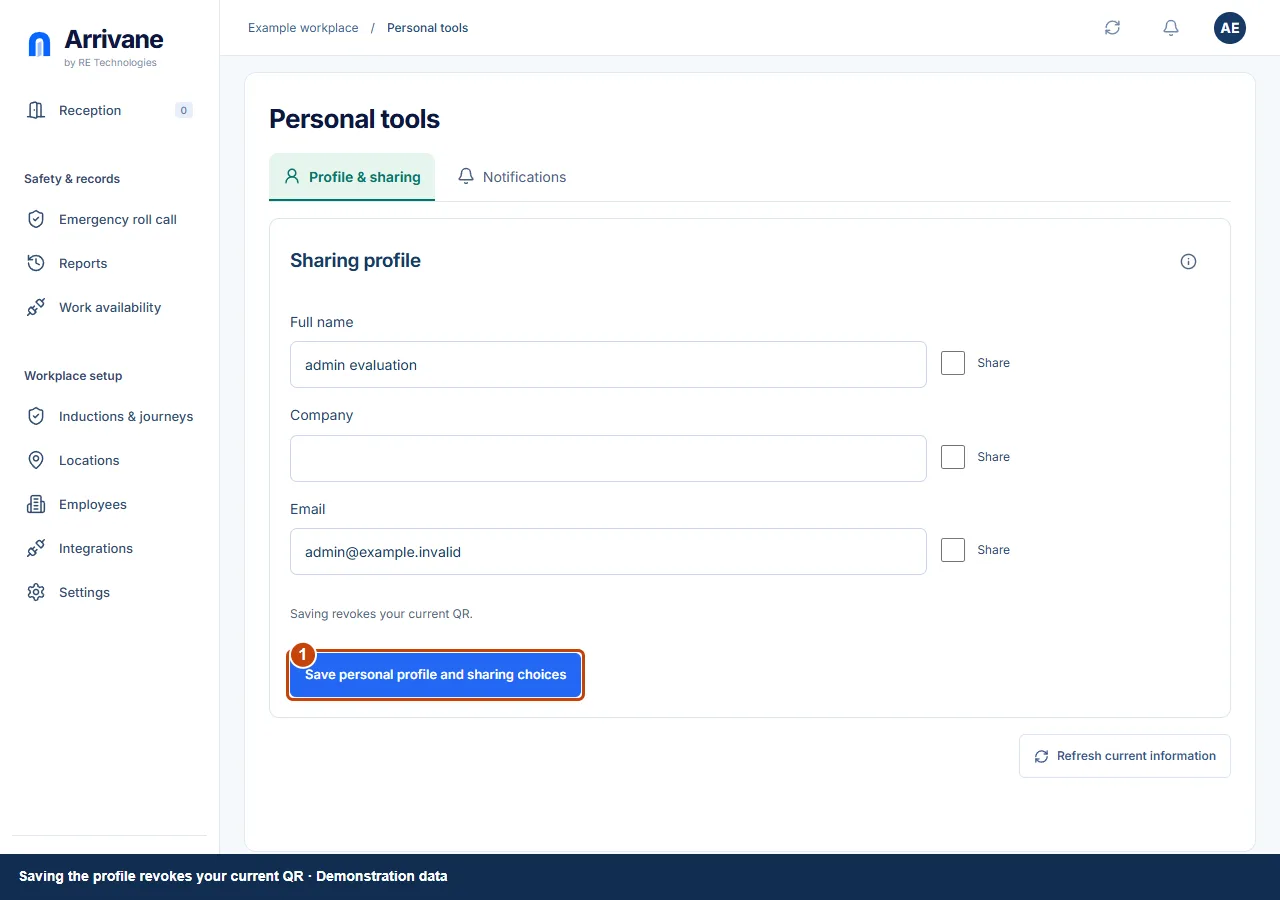
Choose Save profile & sharing. Saving revokes your current personal QR. Blank or unchecked fields are not offered for sharing.
Demonstration data · Select image to enlarge. Show the QR or scan an entrance
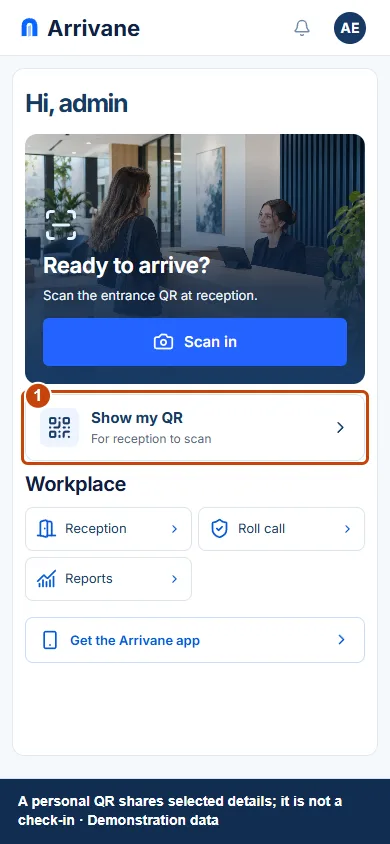
Use Home’s Show my QR or Scan in actions. Review the shared details and expiry before showing a personal QR. Scanning an entrance may request camera access; photo and pasted-link alternatives are available. Finish the workplace’s requirements and confirm check-in.
Demonstration data · Select image to enlarge.
Check the result
Your QR offers only your intended details, and attendance begins only after a confirmed arrival.
If something goes wrong
If you have no shareable populated fields, complete the sharing profile first. If camera access is denied, use the offered alternative or review the browser permission.
If a control is missing, check your organisation, location, role and plan. If a save fails, read the error, keep your draft and check the saved state before retrying.
Screenshots use example people and workplaces. Follow the written steps and test your reception tablet, printer and connected services before welcoming visitors.