
Your room.
Its next meeting.
See current and upcoming room availability at a glance. Use the same Arrivane Kiosk app for reception or a dedicated room display.
Set up Arrivane Kiosk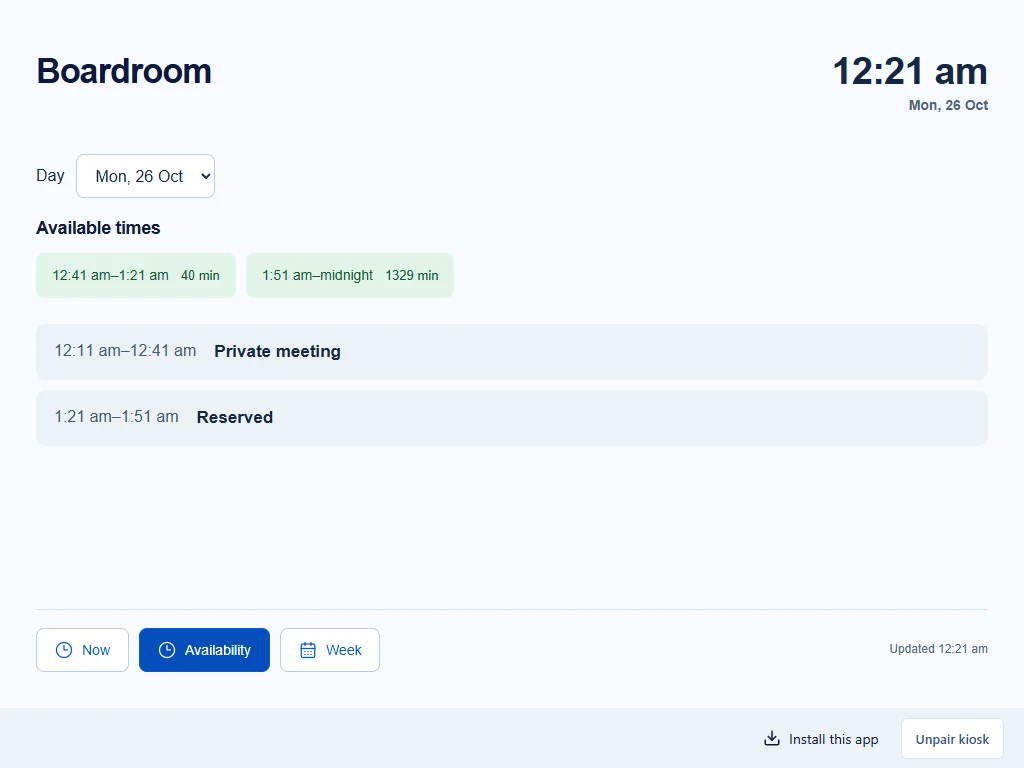
Built around your existing calendars.
Now, Availability and Week
Show the current time, whether the room is occupied, when its meeting ends and upcoming reservations. Check available intervals for a day or browse this week and next week. If the calendar cannot be refreshed, the display makes that uncertainty clear.
One organisation, independent rooms
Name each room for the people using it, independently of its Microsoft or Google resource-calendar name. Assign a location if useful, or leave the room unassigned. Connect a different resource calendar to each active room.
Your branding, with clear defaults
Add your logo and background to the shared room display, then set default privacy and screen preferences. Customise branding and meeting details for individual rooms.
Privacy before detail
Host names and optional meeting titles depend on room settings and provider access. Private details are removed before delivery to the tablet. Microsoft rooms need an administrator’s privacy-readiness verification before eligible new meetings can disclose details. Availability-only Google calendars show reserved intervals without names or titles.
Keep booking in Microsoft or Google
These displays read resource calendars. Create, change and cancel bookings through your existing calendar workflow. Book now, room check-in, automatic release and touch-to-extend are not included.
One room included per paid location.
Your organisation pools its room allowance. Additional rooms cost A$7 per room / month, excluding tax. Location subscriptions are A$48 per location / month, excluding tax. When you add a paid location, choose whether its included room replaces a paid extra or expands your allowance. Review the quantities, effective date and tax in Billing before confirming.
Hardware, provider subscriptions and setup permissions are separate. Test your intended tablet and network before relying on the display.